Slop Definitions Were My Final Straw with Google Search
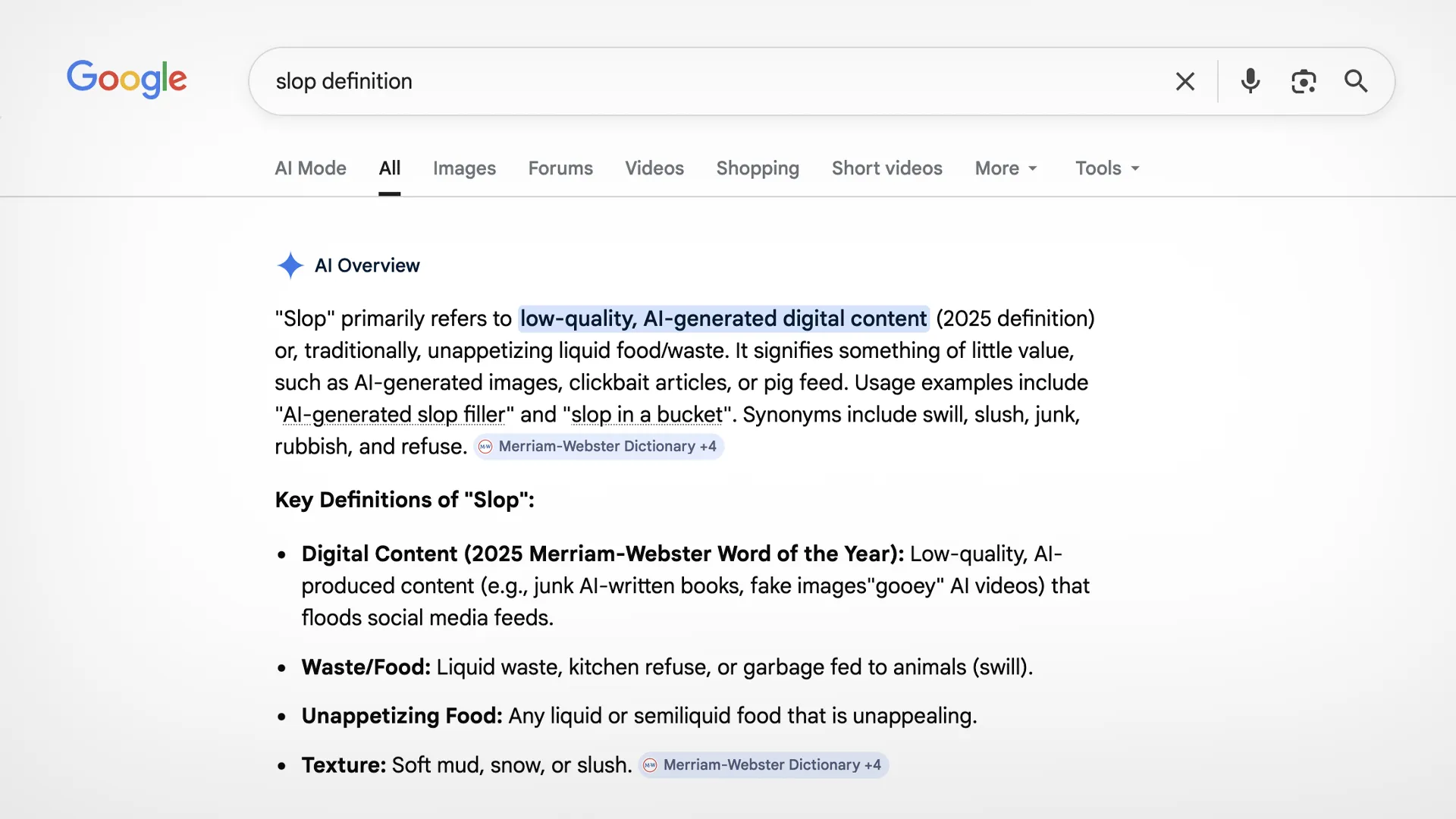
I’m no stranger to trying out different search engines, and I’m quite fond of switching out the technology I use for new ones to see what sticks. In the past, every time I’ve tried switching to DuckDuckGo, the inevitable would happen. One too many times, I wouldn’t be able to find what I was really looking for, so I’d search the same thing on Google and be more satisfied with the results. I’d eventually switch back to Google Search yet again, with somewhat broken hope but somewhat better search results.
I’ve stuck with Google Search for at least all of my time in college so far because of this. I knew all the reasons not to use Google, of course, but at the end of the day I just wanted something that worked well, and Google was that — or at least it was. I could ignore the “AI Overview” feature for long enough, scrolling past it or appending “-ai” to my search to remove it, but the moment simple definitions were replaced with this same “AI Overview” result, I knew I had to switch.
Between writing assignments for school and satirical articles for my club, one of the most frequent searches I make is for word definitions and synonyms. I often find myself thinking of almost the right word in my head, but I know there’s a better one out there that fits the situation better. I thought this would be pretty hard for a search engine to screw up, but clearly I was wrong.
Sometime around six months ago1, Google started slowly rolling out a new “feature” that would replace its standard definitions from Oxford Dictionary with responses from a large language model giving a definition instead. These new “definitions” are more circuitous2, less specific, and not to mention, often don’t even represent the fact that the same word can have multiple definitions or be used as different parts of speech. Furthermore, there is no way to return to the old feature: there’s no opt-out for “AI Overview” across all your searches, and adding “-ai” to the search doesn’t bring back the traditional definitions.3
So when the rollout finally reached me, I relented and set DuckDuckGo as my default search engine on my devices again. Plus, I get all the other features of the service, such as enhanced privacy and bangs. Best of all, I’m able to actually disable their version of “AI Overview”, unlike Google, who claim their feature has “2 billion monthly active users.” Mind you, these 2 billion users are being held hostage, with no way to disable the feature across their searches.
It’s one thing to add on useless features in order to keep increasing Google’s stock price in the current bubble in which we live. It’s another to start removing the most basic of features, features that have been in your product for a majority of its history, in favor of slop.
Footnotes
-
The first post I came across mentioning this “feature” was on r/Google on September 3rd, 2025. ↩
-
I promise I didn’t use a thesaurus for this one. ↩
-
Appending “-ai” to a definition search will usually just bring up a snippet from an actual dictionary website, but this still isn’t the old dictionary feature. Remember those? Snippets? Before everything was just an “AI Overview”? I did find one way to get the old definitions, by searching the word “Dictionary” and then using the secondary search field that pops up, or by going to
google.com/search?q=Dictionary\#dobs=[word], but it shouldn’t be this difficult to access such a basic feature. ↩