IP Addresses for the Average Person
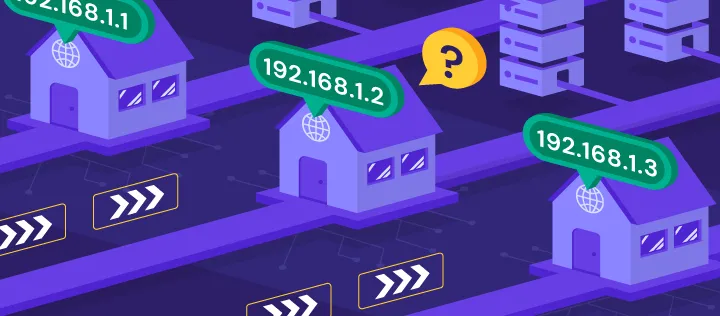
If you’ve spent any time on the Internet, you might have heard of an “IP address” before. Maybe you even have a vague idea of what they are, like how every computer on the Internet has one to communicate. My goal is to provide you – an average person – with some clarity as to what IP addresses actually are, why they’re used, and how they affect you.
Right off the bat, I want to set some expectations. This isn’t going to be a deep dive into IP addresses by any means, but it will get somewhat technical. If that scares you, I challenge you to keep going and see how much you can understand before it starts to go over your head. If that really scares you, a better resource may be this concise video by George Nisbet. Alright, let’s get into it!
What are IP Addresses, Actually?
Just like how everyone that owns a home has a street address, everyone with a computer connected to the Internet has an IP address. IP stands for Internet Protocol, a standard for routing packets of data across the Internet. For the time being, we’ll only talk about IPv4 addresses, which are what are mainly used and much simpler to understand than their successor, IPv6.
When you send information across the Internet, the data is split up and put inside packets. The fancy words for this are segmentation and encapsulation. You can think of packets as envelopes with a delivery and return address. Instead, we call the delivery address a destination address, and the return address a source address. By including the source address, we make sure that the computer we are sending data to knows where we live and can respond back to us.
Without IP addresses, the computers that forward data across the internet, also called routers, would have no idea where to send our data. If you watch a YouTube video, you need an IP address. If you send an email, you need an IP address. If you’re reading this article right now, you need an IP address.

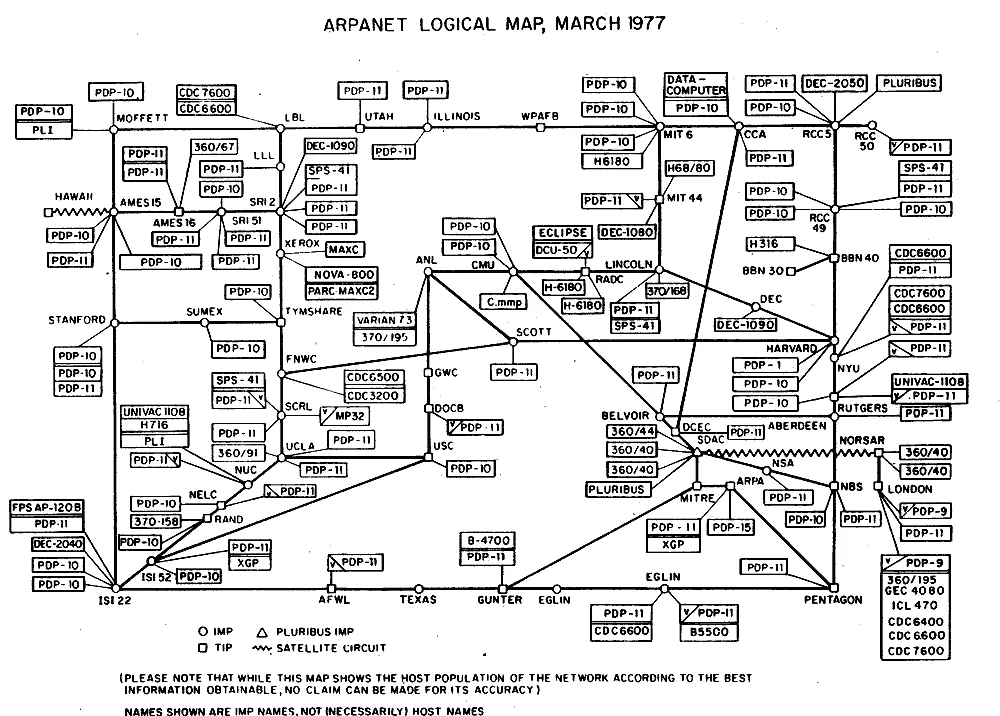
Time for a few of the more technical details – it’s okay if this paragraph flies over your head. An IP address is formatted into four sections of eight bits, called octets, separated by periods. Each bit can hold either a zero or a one, and each octet of eight bits can hold one of 256 different values. Since we start counting at zero, each octet has a range of 0-255. When these four octets are combined, there are 32 bits allowing for almost 4.3 billion IP addresses (with only around 3.7 billion of these addresses actually being able to be routed across the Internet 1). It wasn’t a wild assumption that this number of addresses would be enough, with what we now think of as the Internet in 1977 being able to be drawn on a single piece of paper (shown below).
However, the creators of the IPv4 protocol didn’t expect the rapid expansion of the Internet that we’ve seen over the past few decades. In most American households, devices that you wouldn’t typically think of computers even need IP addresses. Everything from kitchen appliances to light bulbs may have some sort of functionality that requires Internet access. When put into practice, 4.3 billion addresses is nowhere near enough for our interconnected world.
The solution to this problem is IPv6, a newer Internet Protocol standard that has support for 340 undecillion unique addresses, or to put it in perspective, 340 billion billion billion billion addresses. It’s safe to say we won’t need an IPv7 for a long time 2. However, the transition from IPv4 to IPv6 is a long one, so we use Network Address Translation (NAT) to overcome the IPv4 address limitation. Put simply, NAT allows for one 3 “public” IP address to stand in for all the “private” IP addresses of devices on your network. This is usually implemented at your home router, so that only one public IP address has to be allocated.
Before I go any further, let’s review. IP addresses are used to uniquely identify devices on the Internet. They allow us to specify where to send data, and where that receiving device should send replies back. Due to the expansion of the internet, IPv6 and NAT are two solutions to increase the amount of usable addresses. Let’s hope I didn’t lose anyone yet. Hold on, it’s about to get a little bit more technical.
The Subnet Mask
IP addresses are composed of two sections: the network portion and the host portion. The network portion defines, well, the network that your device is on. All devices on the same network will have the same network portion of their IP address. On the other hand, the host portion is a unique identifier for each device on a network. While the first and last address in a network – also called a “subnet” – are reserved for the network and broadcast address respectively, all other possible values in the host portion of an IP address could be valid devices, also called hosts.
The subnet mask is, in essence, a dividing line. Since different networks have different requirements, this dividing line will be drawn in different places depending on how many devices a network has to support. The network at your workplace might have the line further left to allow for more devices 4, while your home network might have the line further right due to fewer devices needing addressing.
As previously mentioned, an IP address has 32 bits, with each being either “on”, a one, or “off”, a zero. A subnet mask also has 32 bits, and each of those line up with each bit in its associated IP address. The network portion comes first, and this is represented in the subnet mask by all ones. After that, the host portion is represented by all zeros. This dividing line is often drawn at the octet boundary, meaning that an octet will often either be all ones (shown as 255 in decimal) or 0.
For example, let’s take a device with the IP address of 192.168.1.10 and the subnet mask of 255.255.255.0. This would indicate that the network portion would be the first three octets (192.168.1) and the host portion would be the last octet (10). Again, all devices on the same subnet will have the same network portion, while each host on that network will have a different host portion.
Why does the subnet mask matter? Let’s return to our analogy of street addresses. If you want to send a letter to your friend that lives across the city, you would put it in your mailbox and it would be taken across town. If we assume you live in a gated community, this envelope would first have to go to your gate before exiting your neighborhood. However, if your friend lived on the same street as you, it would make more sense to just walk to their house and hand it to them. The same goes for IP addresses.
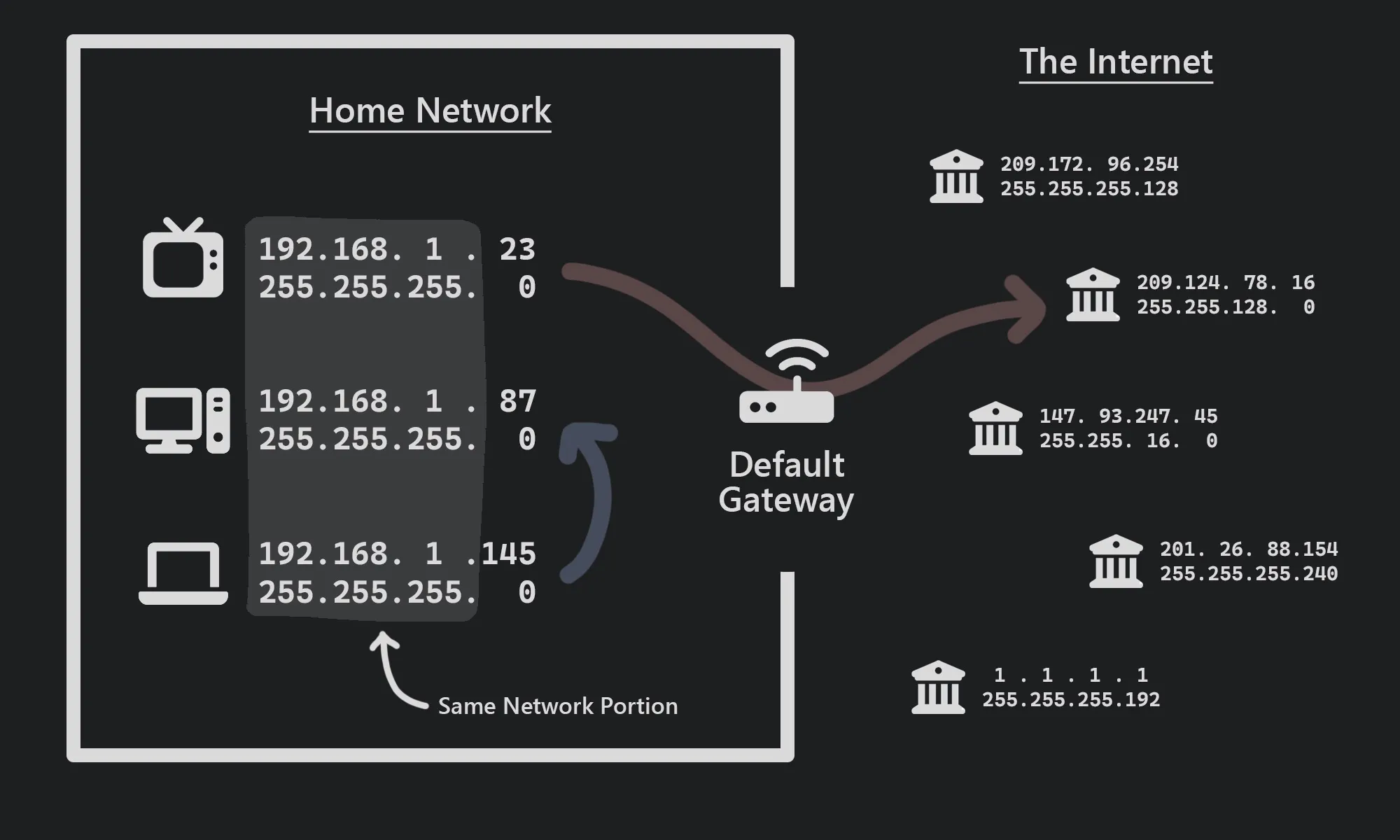
When sending packets (remember, small pieces of data), your computer compares the destination IP address to your own IP address. If the network portions of those addresses are different, meaning that those devices live on separate networks, then the packet would first be forwarded by your computer to your default gateway. This is the device that lives on the edge of your network, typically something like your home router. In our gated community analogy, this would be the actual gate of the community. This point is the one way that things can get in and out. From there, that router can forward your packet to the Internet, just like your mailman would. This is shown by the red arrow in the diagram above, with the TV first forwarding data to the default gateway, which is then forwarded to the address 209.124.78.16.
Conversely, if the network portions of the destination and source address are the same, then your computer can just forward the packet directly to that receiving device. Since they live on the same network, it is most efficient to send it right to the destination rather than worrying about the default gateway. This is indicated by the blue arrow in the diagram above, with the laptop sending data directly to the desktop computer. Continuing with the analogy, it wouldn’t make sense to walk your envelope to the gate of your neighborhood and back to your neighbor when they only live a few houses down.
These three pieces of information – your IP address, subnet mask, and default gateway – are all your computer needs to start communicating over the Internet. Typically, these details are given to you by a Dynamic Host Configuration Protocol (DHCP) server, usually your home router. Most people never have to touch any of these values, which is why these concepts might seem so foreign.
That’s the last of the technical details, I promise.
Wrapping Things Up
You may have heard in the past that IP addresses are a way for companies and organizations to track you. This is a claim that many VPN advertisements like to make, and while it’s certainly not wrong, it’s missing a lot of nuance. Sure, if Google sees that two searches are made from the same IP address, then it’s pretty safe to assume that the same user made these searches. But the bigger sign that the same person searched these separate times is the fact that that user is signed into their Google account! Hiding your IP address with a VPN does nothing if you’re still voluntarily associating that new “hidden” IP address with your accounts linked to your identity. Don’t get me wrong, VPNs have their legitimate uses and are absolutely a piece of the puzzle of privacy – but they’re certainly not the be-all and end-all.
As mentioned, IP addresses are only one way out of many that allow for tracking. More sophisticated methods – such as browser fingerprinting, cookies, web beacons, and plain old account tracking – are much more reliable than using IP addresses. In reality, IP addresses do much more good than harm, facilitating the transfer of vast amounts of data online. Without IP Addresses, 167,000,000 TikToks wouldn’t be watched every minute, 12,000,000 iMessages wouldn’t be sent every minute, 5,700,000 searches on Google would go unanswered every minute, and 694,000 hours of YouTube wouldn’t be watched every minute 5. While we may be better off without some of these things, it’s impossible to ignore the impact that the Internet and by extension, IP addresses – have had on society.
Sure, if your job field doesn’t deal with networking at all, it’s not the end of the world if you don’t know how an IP address works. But as an increasing part of our lives turn digital, it’s important to know some of the concepts at work when we watch a YouTube video or send an email to a colleague. Plus, when these sorts of technical terms are thrown around in the news or pop culture, you can be armed with a greater understanding of what they actually are.
Footnotes
-
There are many reserved address ranges in IPv4. The “3.7 billion” metric is from this comment on Stack Overflow. ↩
-
All jokes aside, IPv7 was a real proposal in 1993, but was ultimately obsolete . The same goes for IPv5 and IPv8, as well as IPv9 three different times. But if you have a better idea for an Internet Protocol, feel free to come up with an IPv1, v2, v3, v10, or above. ↩
-
NAT is an umbrella term for actual Network Address Translation with one-to-one mappings, as well as Port Address Translation (PAT) with many-to-one mappings. PAT uses ports to identify separate sessions of traffic, and the router will keep a list of what ports go to what private addresses. I refer to NAT as the many-to-one mapping of PAT as this is how it is most commonly implemented, especially in home networks. ↩
-
This is not necessarily true. Business networks often divide their networks into many different subnets to decrease the broadcast domain and to increase flexibility and security. ↩